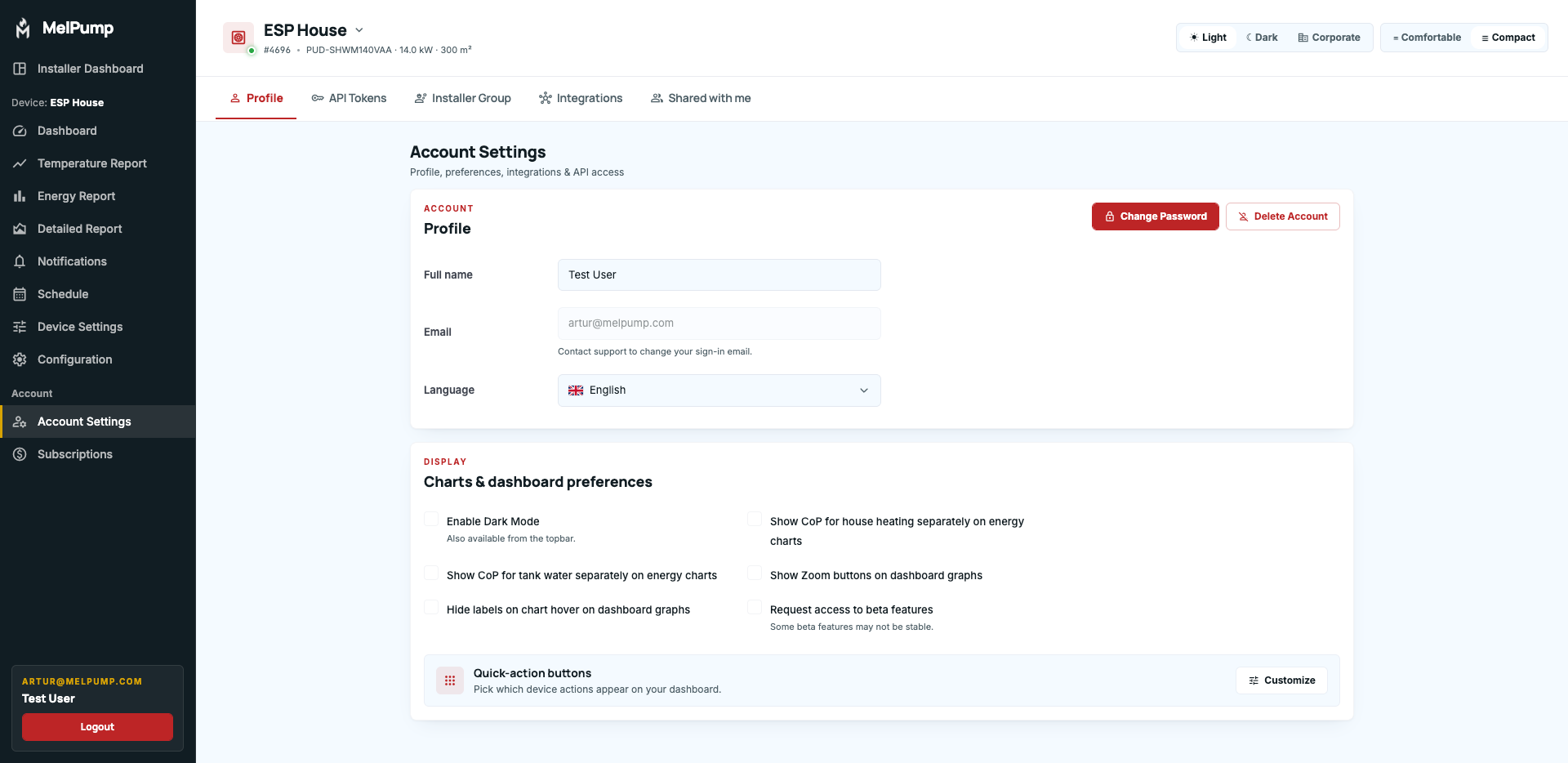
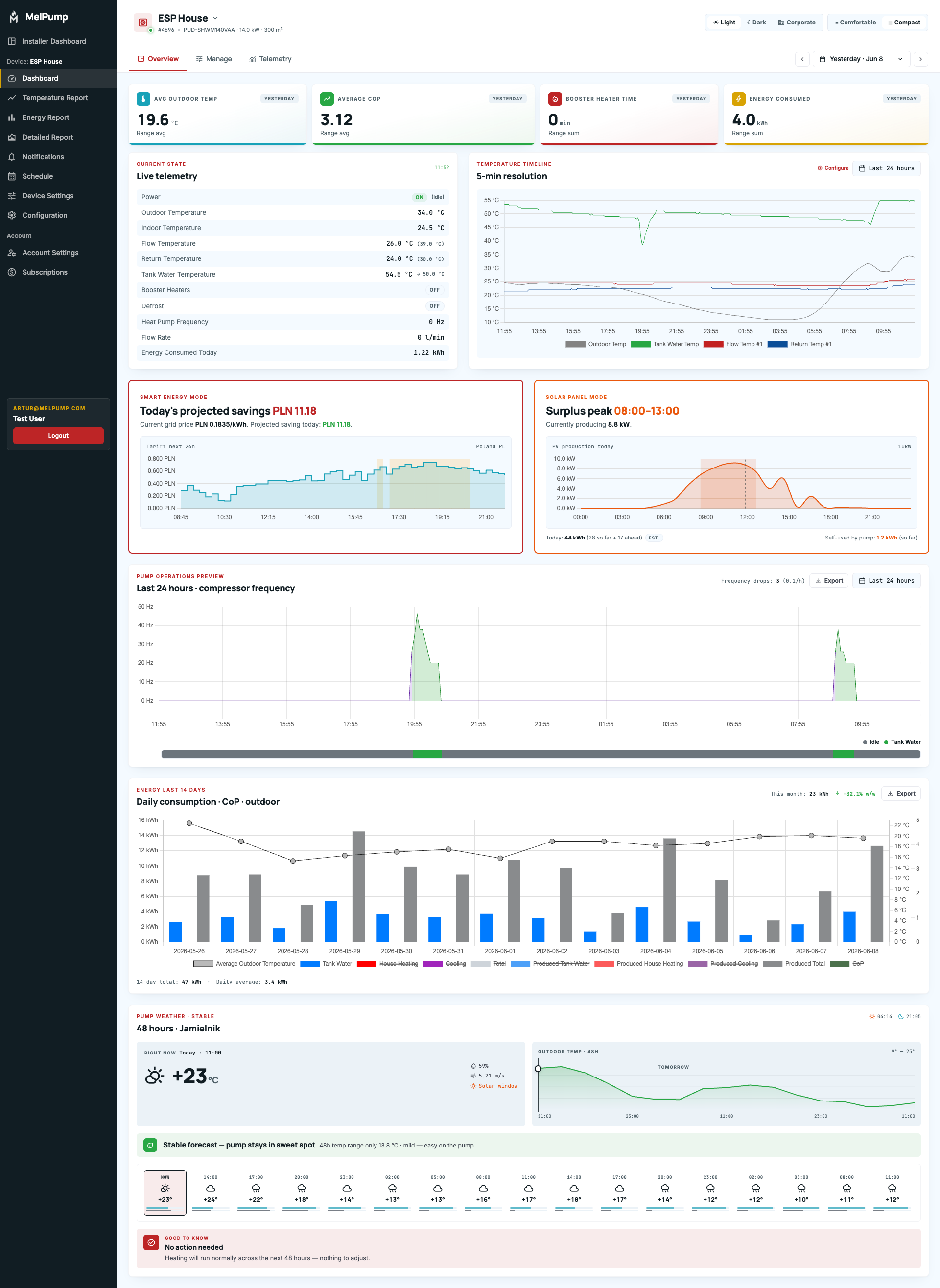
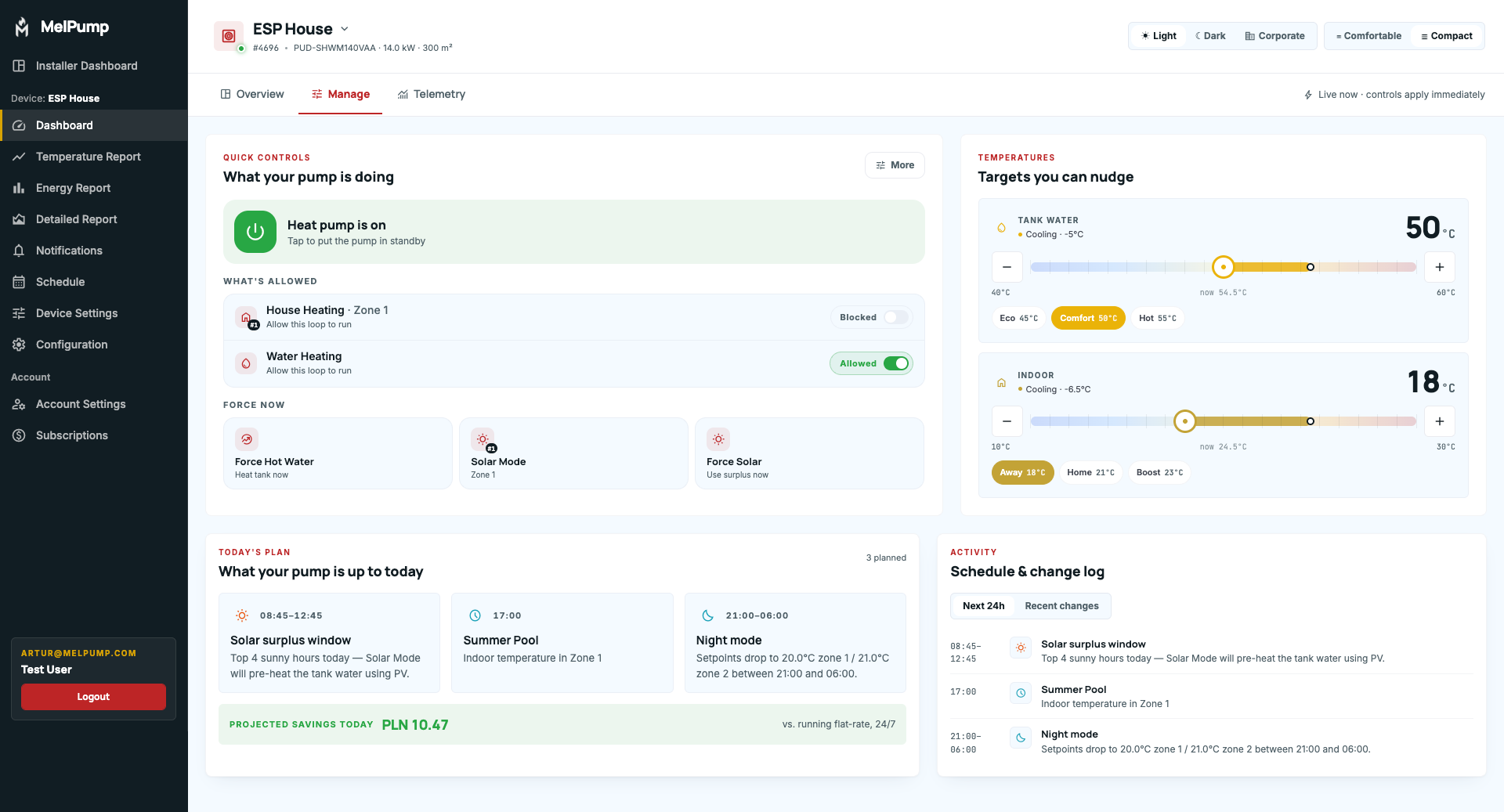
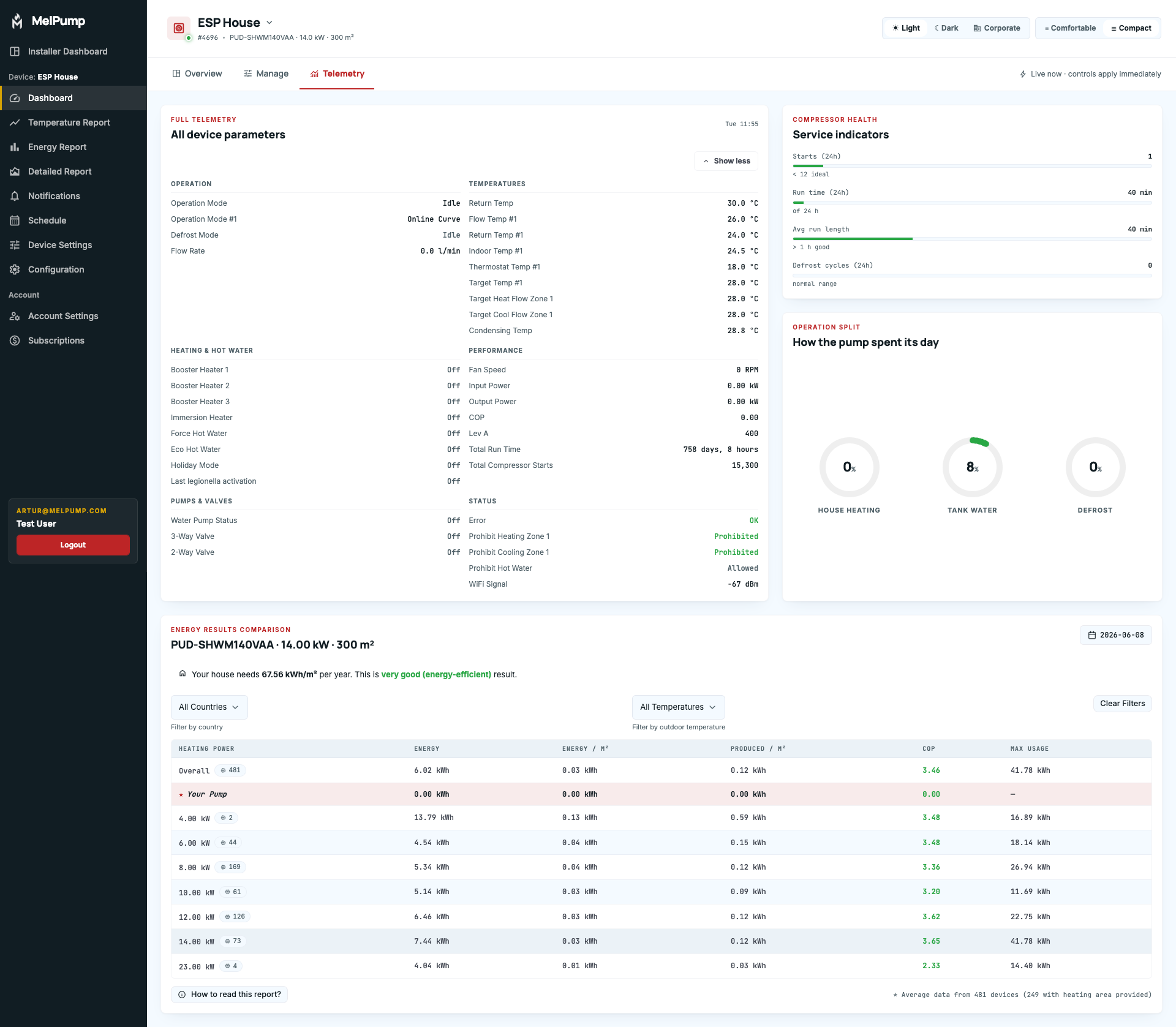
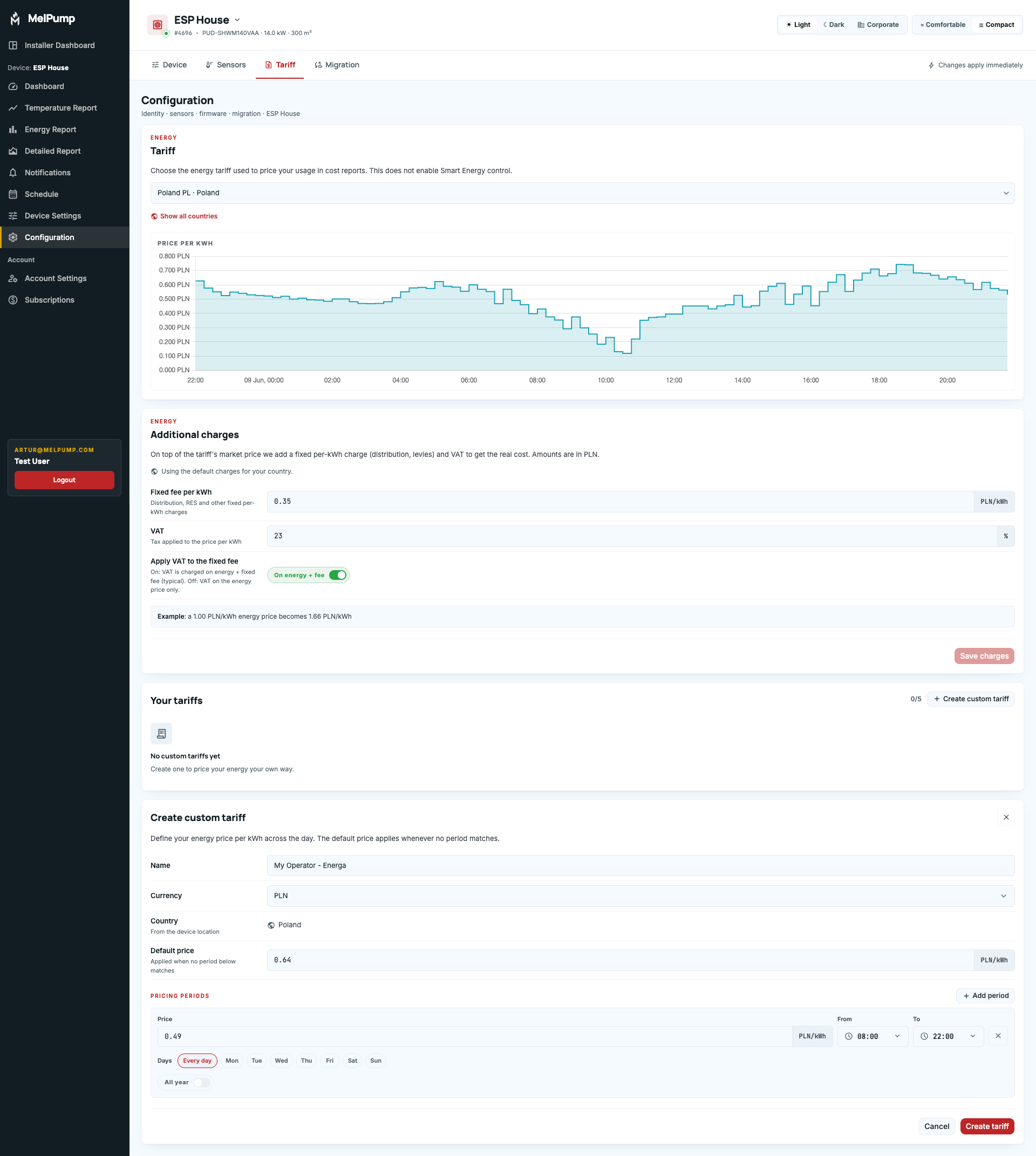
New User Interface Coming Soon
- Zoom controls now include a new "Last 1 Hour" shortcut.
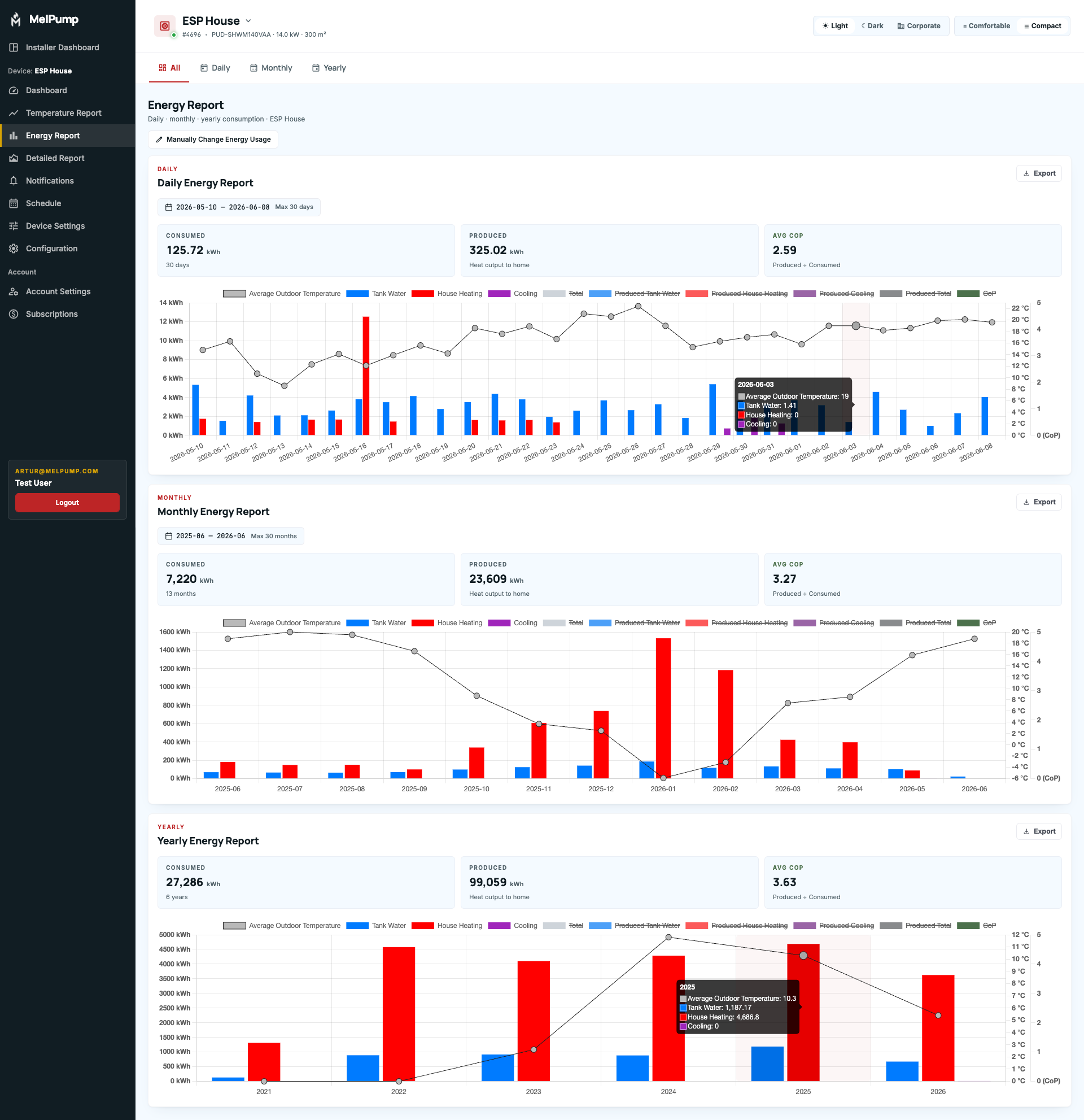
- The Energy Report now displays aggregated totals.
- The main dashboard now includes dedicated Energy Price and Solar Hours sections.
- A new Weather widget with insights about expected heat pump operation.
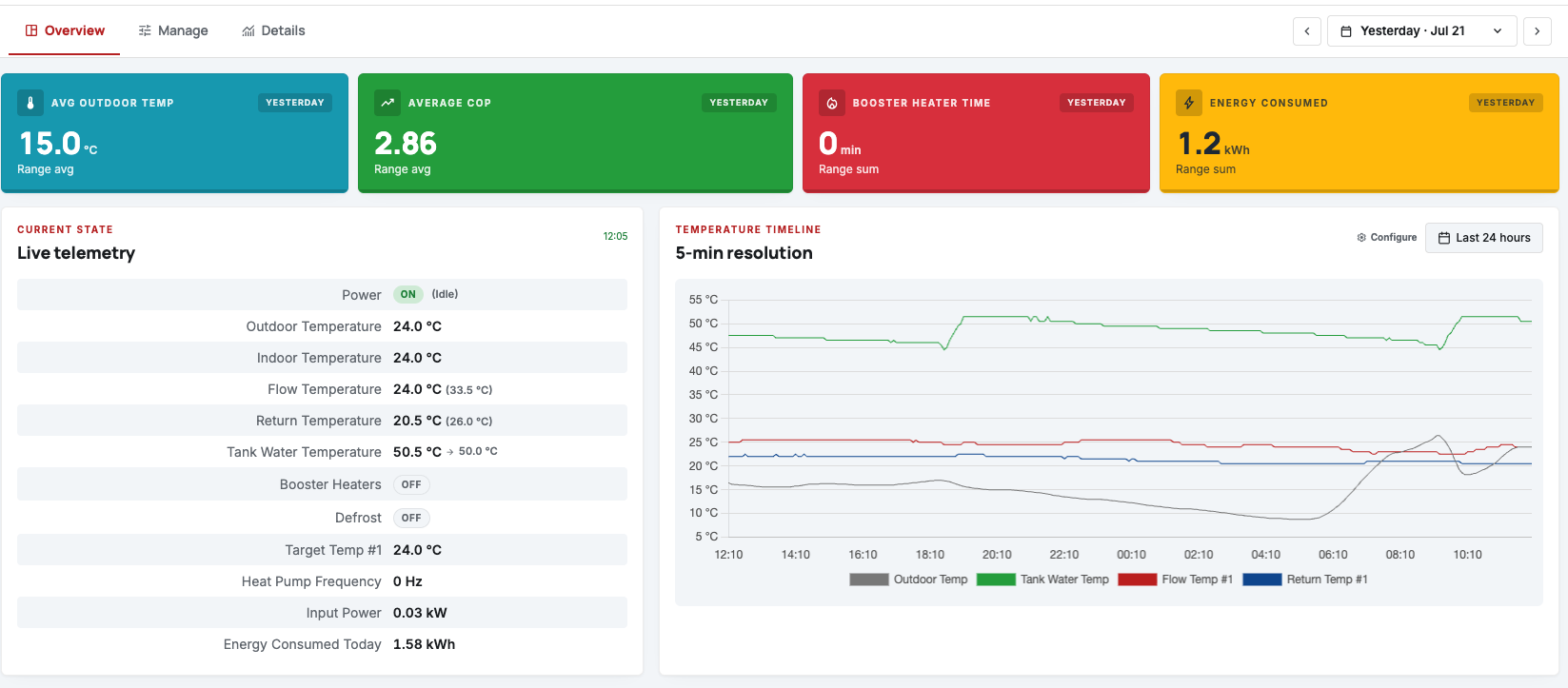
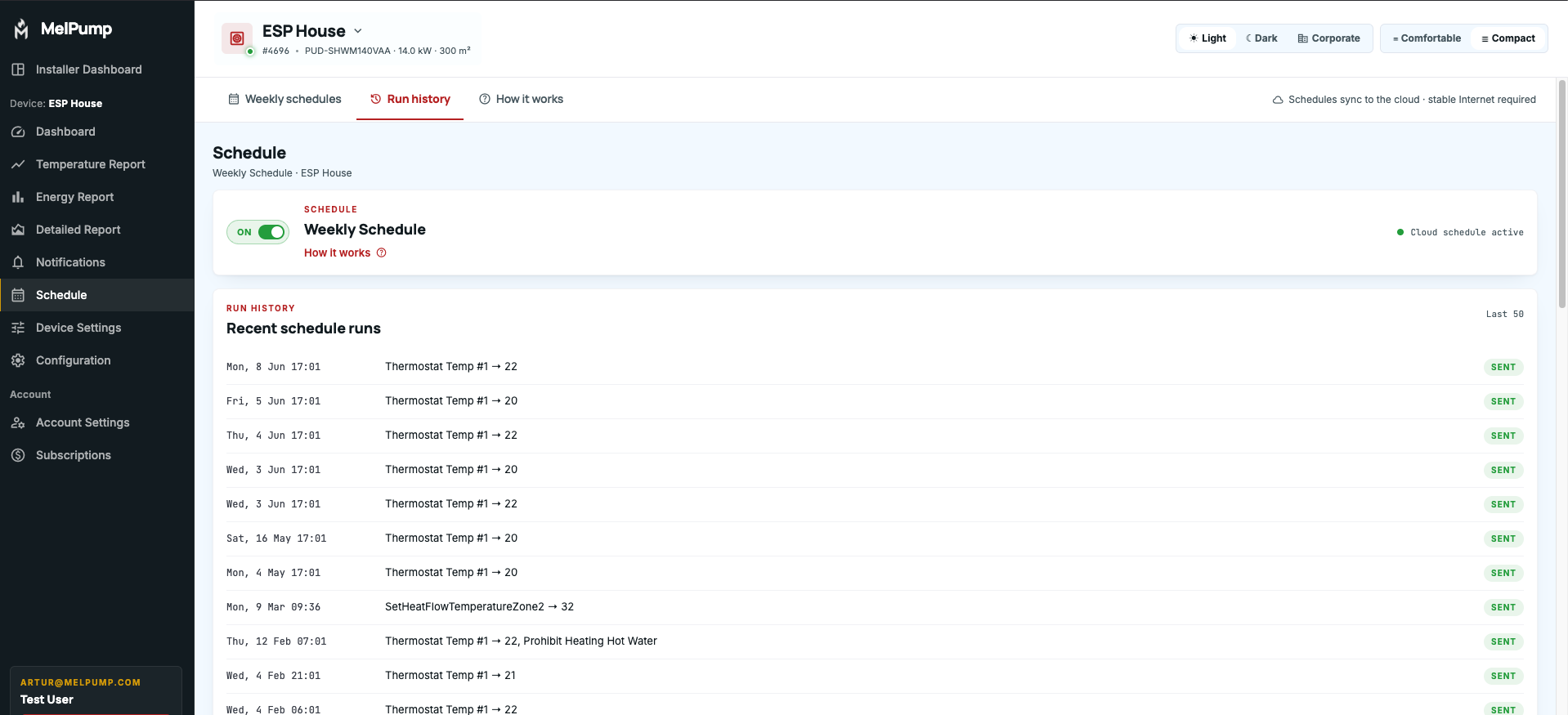
- History of scheduled and executed actions performed by Scheduler and automation modes.
- History of user-configured setting changes.
- Alarm history and alarm information displayed directly on the main dashboard.
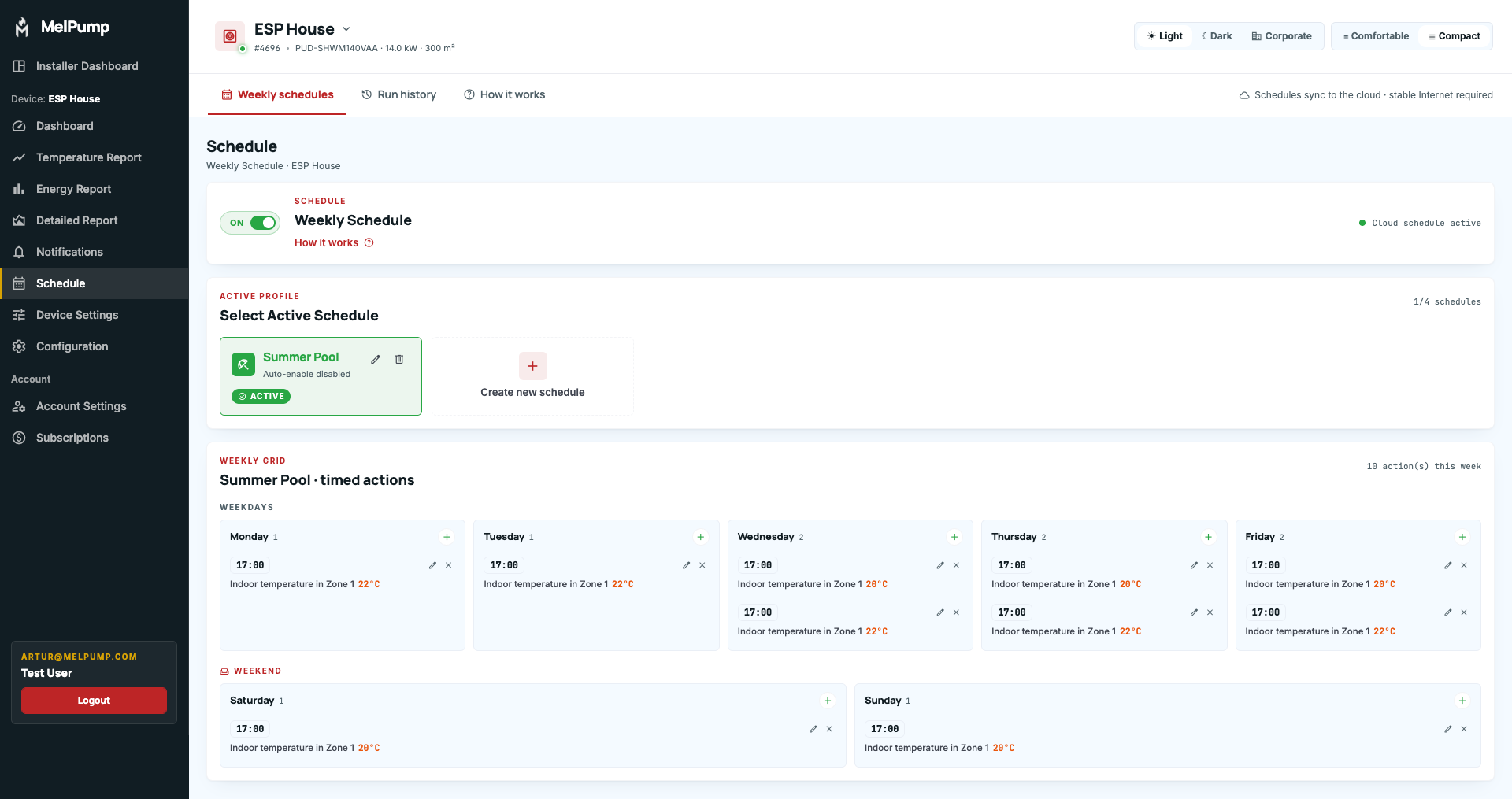
- Ability to edit existing Scheduler actions.
- Support for Custom Energy Tariffs.
- Grid/distribution fees
- VAT
- Seasonal pricing variations
Smart Energy Prices in Country Currency
UPDATE 2026-04-14: Data retention
Example public report from 23rd May 2025:

UPDATE 2026-04-10
- Features
- Compatibility
- Installer info
- WiFi Adapter + Home Assistant guide
- Media Kit
UPDATE 2026-04-05
- New integration via PlanetDevices
Adds support for over 20 heat pump brands supported by PlanetDevices. Currently in beta, more details coming soon.
- New elements in the installer panel
Added tiles with quick overview of fleet data, alerts for pumps that require attention, and benchmarking of heat pumps within the fleet.
- Detailed data page
A new tab in the installer panel showing all raw data available from a given integration. Please note that this data is not processed, and its interpretation depends on the specific installation.
- Live report in the installer panel
Displays all integration data from the moment it is opened, updated every 30 seconds.
For the Wifi Adapter, it reflects near real-time pump status.
For cloud API integrations, there may be a slight delay, typically up to one minute.
- Fixes for Smart Energy and Solar Mode
Resolved an issue where the system did not return to the original room temperature when one mode transitioned directly into another without a transition period.
- Improvements to online curve
With higher spring temperatures, more pumps started short cycling.
We are testing protections to reduce short cycling.
The application or adapter detects when the compressor is approaching shutdown and slightly adjusts settings to extend its operation.
After shutdown, it prevents rapid restart to minimize cycling.
This mechanism is continuously developed and monitored to ensure compatibility across different pump types.
- Updated tooltip view in detailed report (mobile)
The tooltip is now anchored to the bottom of the screen so it does not cover the chart.
Let us know if this should also be applied to other charts.
- Fixes for Swedish translations
- Other minor fixes and UI improvements
Thank you for using MelPump and for all your feedback


Update 2026-03-17: Energy Estimations & Expanded Integrations
We have introduced a beta feature that estimates energy consumption and production for devices without built-in meters. Using data like flow temperature and compressor frequency, the app now provides an approximate COP. Please note these are estimations; a disclaimer will appear on your dashboard if your data isn't coming directly from a meter.
Our development focus has shifted heavily toward major integrations. We are currently working on MELCloud Home and adding support for manufacturers like Daikin, Panasonic, Samsung, Midea, Kaisai and more via the Planet Devices (Modbus) adapter.
Because these integrations are resource-intensive, you may notice a temporary slowdown in smaller app fixes and user-requested tweaks. We appreciate your patience as we prioritize these core compatibility updates.
The update also includes various minor stability improvements and app optimizations.

UPDATE 2026-02-18
We’ve just published a comprehensive guide for new heat pump users and owners (not only Mitsubishi).
Check it out here:
https://melpump.com/heat-pump-guide
At the bottom of the page you’ll also find a full list of all parameters available in the app, along with descriptions.
*This is a basic introduction to help you understand what a heat pump is and how to read the graphs, it’s not intended for advanced users.
Other updates:
- Minor improvements and bug fixes
- We’ve started working on integration with custom planetdevices.com hardware, as the first step toward supporting heat pumps from other manufacturers (Daikin, Midea, Kaisai, Panasonic, and more)
- We’ve continue working on MelCloud Home integration, but the features would be very limited, because we received an answer that they will not add any another data to their API responses (there won't be data like compressor frequency, outdoor temperature, booster heaters or defrost, but we will try to figure something out)


Update 2026-02-05 🌡
From now on, every user can choose which temperatures are displayed across all reports, and separately select the key temperatures shown on the dashboard.
A new section has been added to the Configuration tab, where you can select the temperatures you want to track for your heat pump. By default, temperatures load exactly as before, depending on whether you use two zones, DHW sensors, or a ground source heat pump. Once you change any temperature settings, they are saved permanently until you click the “Restore defaults” button. Additionally, after clicking the “Learn More” button under each temperature, a detailed description of the sensor and its meaning will be displayed.
When a temperature is disabled in the configuration, it will disappear from all reports except shared detailed reports. These will always include all available temperature data, as they are typically used to get help from the community, and it would be inconvenient to require users to temporarily re-enable all data series.
Due to these changes, some reports have been redesigned:
The dashboard temperature report no longer includes buttons for selecting the last day or week. Instead, it now uses a date picker calendar, consistent with other dashboard reports, and is fully synchronized. Changing the date anywhere on the dashboard updates all reports. The “Export” button has also been removed, as this data can be exported from the “Temperature Report” section.
The daily temperature report in the “Temperature Report” section now loads average values for the selected day by default instead of all raw data. Data is grouped hourly, as full-day averages did not provide realistic values when analyzing heat pump operation to optimize settings.
New temperature series have been added: buffer temperature, supply and return temperature of an additional heat source. To display them on charts, they must be enabled in the configuration. Please note that most heat pumps do not have these sensors. If you see a constant value of 25°C, it means the sensor is not active.
This is one of the larger updates, involving a major rebuild of most reports. If you encounter any issues, please report them via email at [email protected]


Update 2026-02-03
- New feature for installers: Installer Dashboard.
Still in beta, we are open to suggestions on what should be added.

Update 20-25 January 2026 📬
We’ve rolled out several application updates over the last few days, focused on usability improvements and reporting enhancements:
- Fixes to the online curve mode
- Added a “place” field for installer accounts to better identify heat pumps from the MELCloud Building List
- Last selected filters are now saved in the energy comparison report
- Added brine inlet and brine outlet temperature data to detailed reports for Geodan heat pumps with Wi-Fi adapters
- Improved device selection for accounts with more than 5 devices – now with a searchable select box showing device name, place name, and an AC tag for air conditioners (currently available in the web app)


Update: Online Curve Mode is Here! 🌡
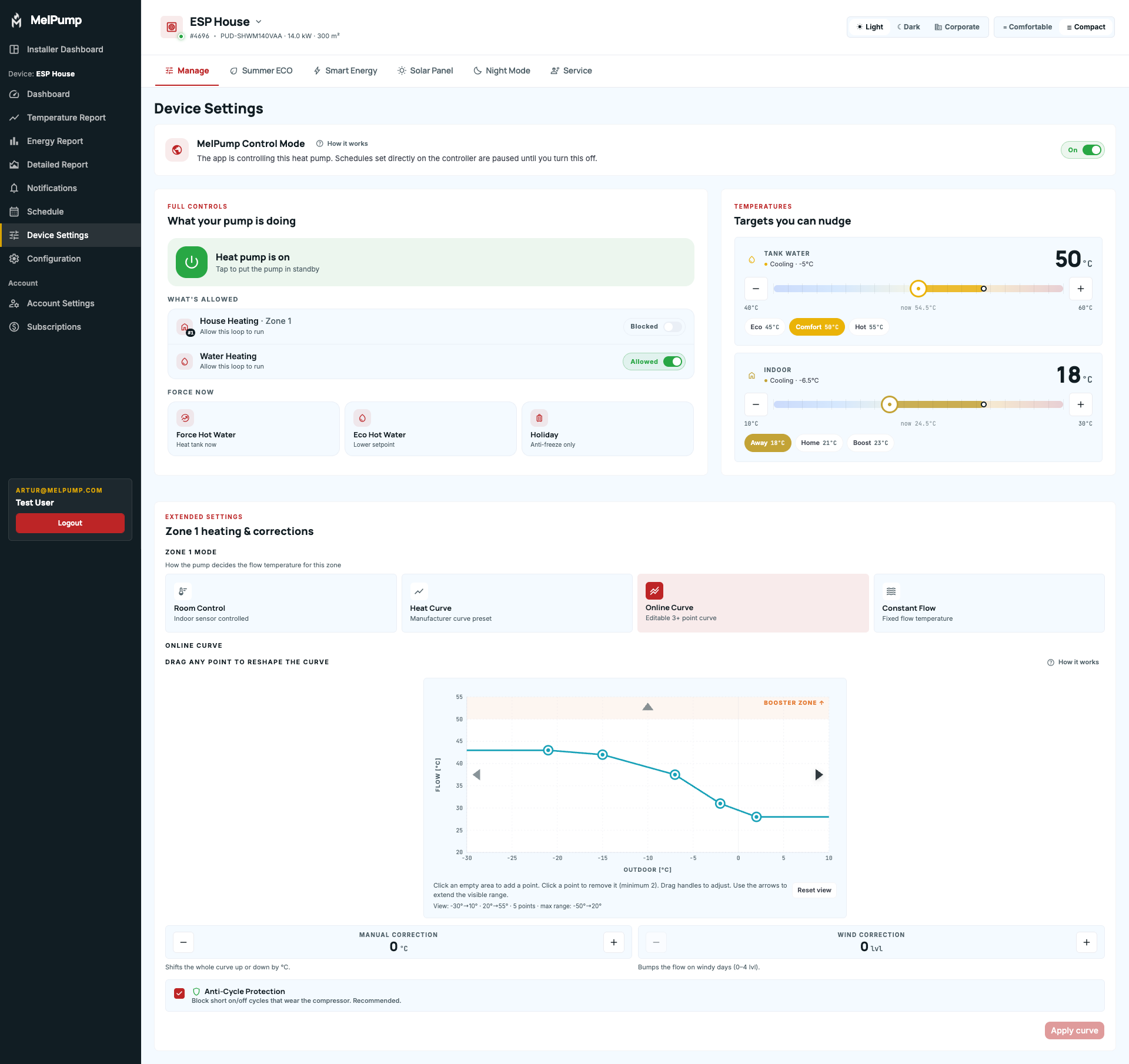
Online Curve Mode automatically adjusts your heat pump's flow temperature based on real-time outdoor conditions. You can adjust online curve directly from the application.
Key Features:
✅ Based on the Constant Flow mode – Flow temperature adapts automatically to outdoor temperature changes
✅ Manual Correction – Fine-tune the entire curve by ±10°C to match your comfort preferences
✅ Wind Correction – Compensates for heat loss during windy conditions with 4 correction levels
✅ Easy Curve Configuration – Add or remove points with simple clicks on the graph
How It Works: ⚙️
The system continuously monitors weather conditions and calculates the perfect flow temperature by:
1️⃣ Reading your configured heating curve
2️⃣ Applying your manual corrections
3️⃣ Adding wind compensation (if enabled)
4️⃣ Automatically sending commands to your heat pump
Special for WiFi Adapter Users: 📡
Your heating curve is saved directly in the adapter, so it keeps working even if your internet connection drops.
Stay warm, stay efficient! 🏠💚
⚠️ Please note: This feature is currently in beta testing. We're actively gathering user feedback to improve and refine the experience. If you encounter any issues or have suggestions, please don't hesitate to reach out!
📧 Support Notice:
Due to the harsh winter conditions over the past month, we've been receiving an unusually high volume of support requests. Our team is working hard to assist everyone, but please note that email response times may be slightly extended, typically up to a few days. We appreciate your patience and understanding!

UPDATE 2025-11-13:
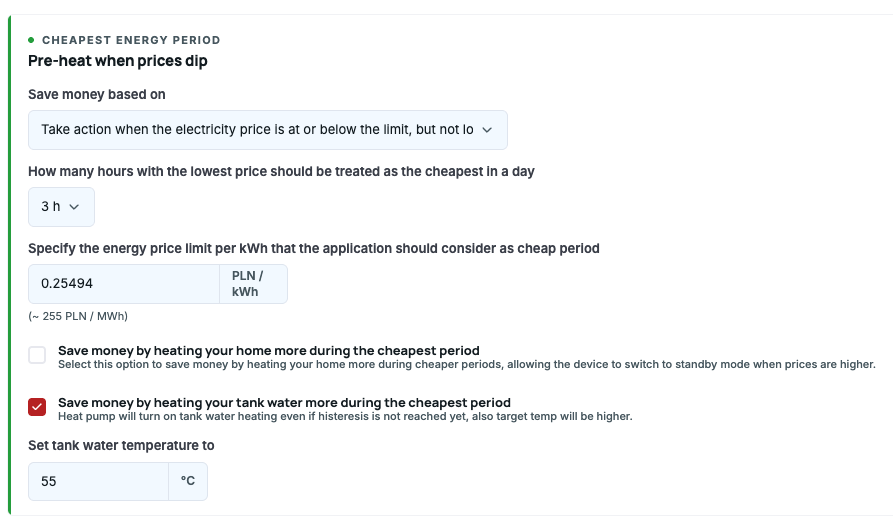
Smart Energy – Cheapest Period Settings
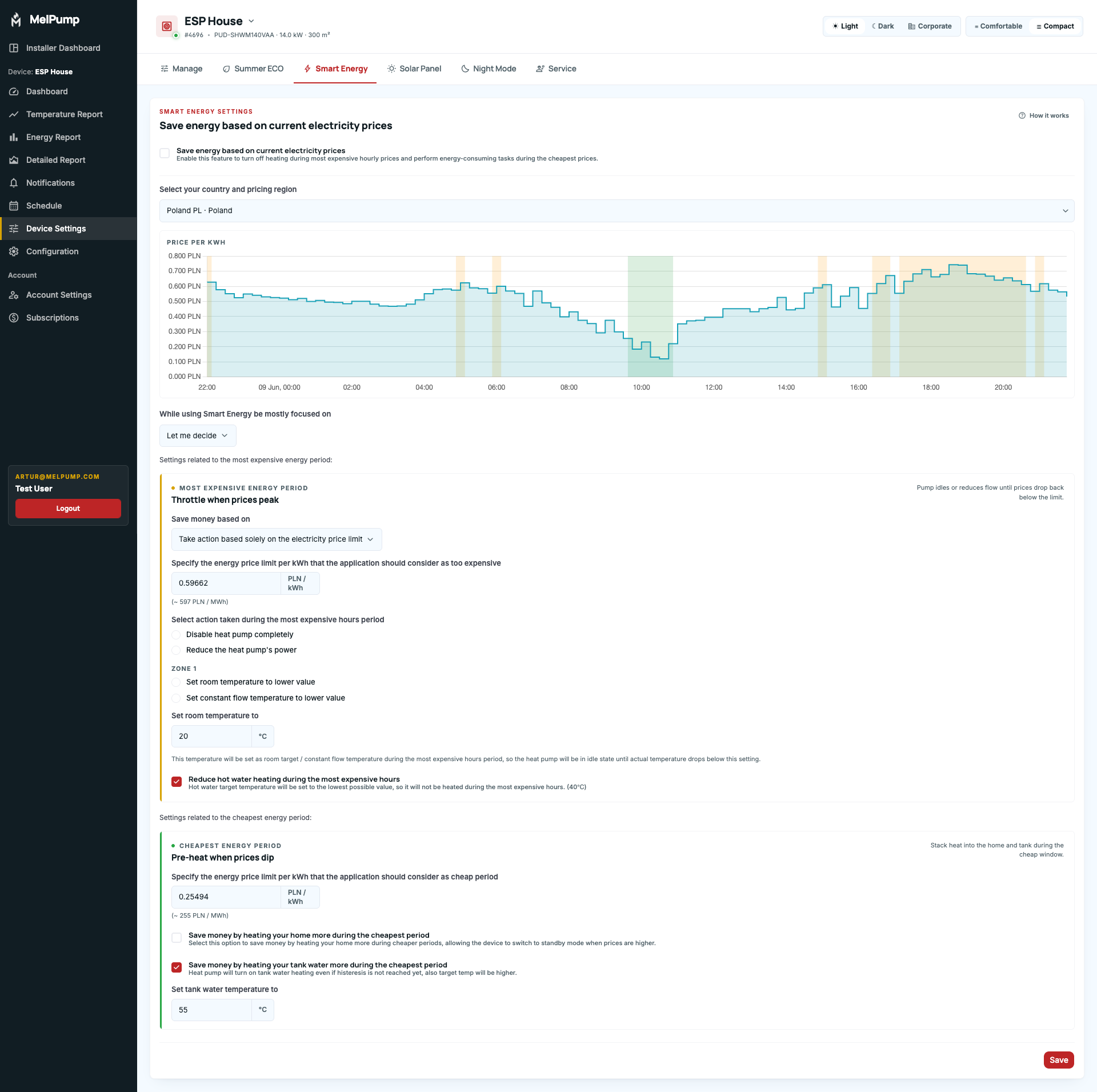
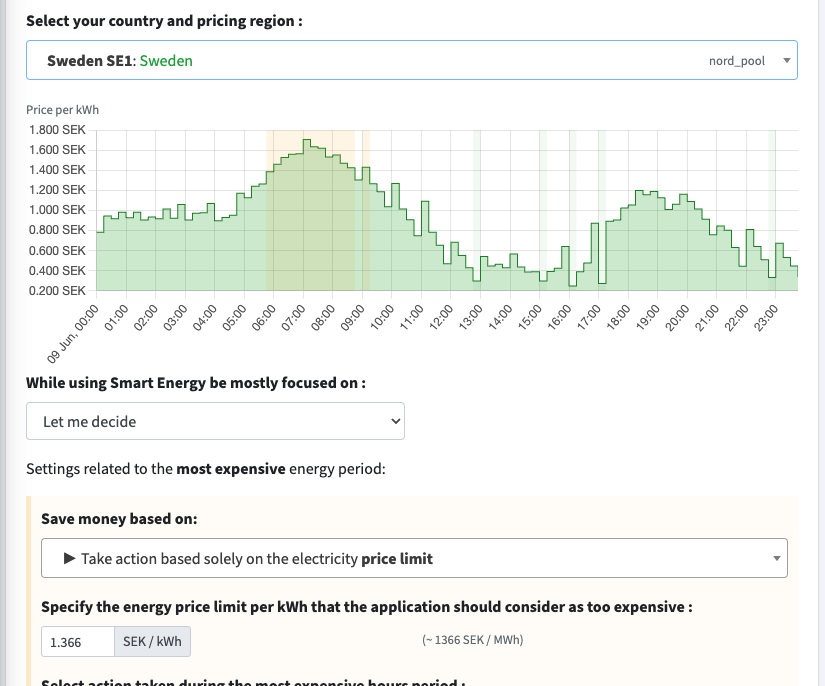
We’ve added new options for the cheapest period of the day. You can now reduce costs by heating your home or tank water more during the cheapest hours. This allows your heat pump to use low-cost energy when it’s available and limit consumption during expensive periods.
The pricing graph now also shows when cheap and expensive periods apply for today and tomorrow (green = cheap period, orange = expensive period).
More settings to the smart energy mode will be added later.


Update 2025-11-08
New optional feature: Online Tank Water Temperature Hysteresis
You can now enable this feature in the configuration and control the tank water hysteresis directly from the app.
It uses the “force hot water” function to trigger heating, which means it bypasses eco settings - unfortunately, that’s the only way to force the Ecodan heat pump to heat water via API.
For the best results, set the hysteresis on the main controller to the highest possible value, so it doesn’t interfere with the online setting.
🍎 Sign In / Sign Up with Apple
Now available in the web app — works on iOS and macOS devices.
⚡ Smart Energy – new pricing region:
Added Switzerland (Services Industriels de Genève).

🔆 Update 2025-10-12: New Solar Mode
The Solar Mode has been completely redesigned!
It now relies on GTI (Global Tilted Irradiance) and GHI (Global Horizontal Irradiance) data — and if those are not available for your location, it uses cloud cover instead.
Weather data is now refreshed every 15 minutes (previously every 3 hours), making the mode much more accurate and responsive.
New configuration options:
🌞 Maximum daily operating time – limit how many hours per day the solar mode can run.
🕒 Preferred hour – for example, if you prefer water heating at 3 PM before coming home, the system will try to heat at that time when solar conditions allow; otherwise, it will do it earlier.
⚡ Panel power – determines the solar irradiance threshold required for the mode to start (lower-power panels require higher sunlight levels).
☀️ Panel orientation – choose between South, East–West, Southeast, or Southwest; this affects the solar condition graph.
A new button is now available in your account settings:
➡️ “Force Solar Mode” – it lets you manually trigger the solar mode for the next hour even when conditions are not ideal, giving you a quick way to use excess PV energy.
This feature is also available through the API, allowing you to force solar mode for a specific number of minutes — perfect for automation with Home Assistant or inverter systems that can send HTTP requests when production exceeds a given threshold.
In the future there will be option to select heating/cooling in solar mode for devices with cooling support.
More details about how the solar mode works can be found under “How it works” in the Solar Mode settings.


UPDATE 2025-09-14
- iOS Application Beta is here 📱 - MelPump is now available in AppStore, currently in beta phase. Additional features compared to other platforms: Login with Apple. Subscriptions are not available in iOS app yet, so if You want to renew it you have to visit website. Link: https://apps.apple.com/us/app/melpump/id6751225195
- Spanish Language Support 🇪🇸
- Additional device settings data in API GET device endpoint
- Other Minor fixes


Update 2025-08-14 ⚡
- Energy Correction Factor in Configuration Settings: If you have an external energy meter, or you believe the heat pump under- or over-reports energy consumption, you can set a global correction factor to adjust all recorded readings. For example, enter 105% to store every reading as 5% higher, or 95% to store it as 5% lower.
- Manual Override for Daily Energy Data: In some cases, a heat pump might summarize several days’ usage into a single day, or fail to send data at all. If you care about accurate numbers, you can now manually edit the energy consumption for any given day.
Both changes apply to Heat Pumps and AC devices.


Update 2025-07-15 ❄
Basic BETA AC support added to MelPump:
- Preview current AC unit settings
- Change AC settings
- AC Timer feature (You can set a timer to turn the AC on/off with a delay — for example, turn the AC on before going to sleep and set it to turn off after 2 hours)
- Energy reports
Due to limitations in the MelCloud API, detailed data about AC devices (e.g., compressor frequency) is not available.
Additional features such as Scheduler, Solar Mode, and Smart Energy will be added later. Notifications currently provide limited value, but if you identify any useful cases, we can add support for them as well.
For now, due to the limited feature set, access to AC devices is free for all users without a subscription.


Update 2025-07-09 🤳
- Official Android Application published in the Google Play Store, available at: https://play.google.com/store/apps/details?id=com.melpumpmobileapp
- Additional improvements for installer accounts (clients management and automatically enabled installer role for accounts with 20+ devices)
iOS app still in progress 🍎


UPDATE 2025-06-23
New Feature – Public API Now Available!
We've just released a public API for the app! This allows integration with external systems like Home Assistant or your own automation tools. You can now programmatically access key data such as heat pump operation, temperatures, and more.
We're also working on switching our weather data provider to improve the performance of Solar Mode, making it more responsive to actual sunlight availability.
Once the changes are complete, we'll also add a new API endpoint that allows manual override of PV production data – perfect for users with fully automated setups who want full control over how Solar Mode behaves.


UPDATE 2025-06-13 💨
- Added cooling options to the scheduler
- Added cooling ON/OFF switchers for WiFi Adapters integrations (for zone 1 and zone 2)
- Improved readability of the control buttons for other languages with long words (like Italiano or Deutsch)


UPDATE 2025-06-12: ❄
- Added Cooling Control Options for devices with Cooling possibility
- Small Layout Improvements on mobile devices
- Small Layout Improvements for dark mode

Update 2025-06-10 ☀️
- Added cooling energy consumption data to the dashboard and energy charts
- Cooling availability is retrieved from MelCloud, but can be disabled in the Device Configuration
- For WiFi Adapters only: new option to remotely read Service Codes
🛠 Coming soon:
- Control of cooling settings
- Support for air conditioning devices
- Android app in beta — same interface, native push notifications, and more improvements
- iOS version is next


UPDATE 2025-05-16
- added possibility to sign in / sign up via social media (google and facebook)
- added confirmation modal before removing integration
- minor fixes (redirects and other)


Update April 25, 2025: New Scheduling Feature 📅
We're excited to introduce the new scheduling feature! Now, every user can create up to 4 different weekly schedules, which can automatically activate depending on the selected season. You can also enable the schedules manually. Available actions depend on whether the pump is controlled via MelCloud or WiFi Adapter—the latter allows control over zone activation and several additional settings.
Stay tuned! Soon, we’ll be adding an action log to the detailed report, so you can track exactly what actions have been performed on your heat pump.


UPDATE 2025-03-21
We've added a retry mechanism for heat pump settings. If the pump doesn't respond within a few dozen seconds after sending a command (e.g., you tap "Turn Off Pump," but it's still running), the system will automatically retry turning it off. The retries stop if the user changes another setting.
This ensures the application control options more reliable ✅

UPDATE 2025-03-12
- Added a new Configuration Page that allows you to set key device parameters, such as two-zone settings, timezone, heating area, and more. It also enables data migration between integrations (e.g., from MelCloud to MQTT) and displays firmware information. For WiFi adapters, you can now download the latest firmware and access the update page directly.
- Rearranged the "Current State" card: Less frequently updated items have been moved to the bottom under the "Show More" section for a cleaner overview.
- Other minor fixes

Detailed Report Update
Update 2025-03-05: 📈
-
New Detailed Report available in the menu! The Detailed Report lets you view all your heat pump data in a single chart. You can toggle data series on and off using the buttons to focus on what matters to you. Additionally, you can share the report as an image or via a unique URL, which will grant access to a single day’s data of your choice—perfect for getting help from the community or your installer.
-
For users with the new WiFi adapter, the report now includes additional real-time data: input and output power, instant COP, fan speed, LEV-A valve position, and water flow rate.
-
A new status bar below the chart shows heating activity for each zone, making it easier for users with two heating zones to see when each was active. You can also check the operating mode of each zone at specific times.
-
Bug fixes: A recent optimization related to heat pump control and thermostat detection unintentionally caused issues with Smart Energy mode and Night mode for some devices with incorrect database settings. This issue was fixed a few days ago.
🔗 Here is an example shared detailed report:
https://melpump.com/public-report/view/1eff5cb1-0af4-67c8-81e2-87a3111fadb6


UPDATE 2025-02-18 ⚒️
- The Energy Comparison Report now displays heating data only in all columns, ignoring DHW.
- New Graph Zoom feature – You can now zoom and navigate all line graphs using the new zoom buttons above each graph. To use this feature, enable it first in Account Settings.
- Target Heating Temperatures have been added to the temperature report, showing target heating values for devices with compensation curve mode enabled.
- Average Outdoor Temperature is now included in Energy Reports. Historical data fetching from MelCloud will be added soon.
- Temperature Descriptions – "THW{number}" has been added next to temperature descriptions in the current state (click on a temperature to view its description).
- [WiFi Adapter only] Flow Rate has been added to the temperature report.


UPDATE 2025-02-15 ✍️
- New Status Page: Check the application status and monitor the health of our systems. Now you can see the operational status of all services, including health checks for MelCloud apps: https://status.melpump.com/status/app
- New Changelog: Stay updated with new features in one place: https://melpump.canny.io/changelog
- Feature Requests / Bug Reports: Check user requests, vote, and see what's planned and in progress: https://melpump.canny.io/
- All new pages are available on our contact page.


Update 2025-02-14: 🌐
- New Location Change Option – You can now update your device's location! This is essential for accurate weather data and proper Solar Mode operation. Update it in Account Settings or set it directly from the main dashboard if not configured yet.
- Subscription Management Page – Need to make changes to your subscription? Now, you can easily request modifications, such as transferring a subscription to a different device. For example, if you initially used MelCloud integration but later purchased a WiFi adapter, you can switch your subscription to the new device.

MelPump WiFi Adapter integration
Updates January - February 🌐
- MelPump WiFi Adapter integration (see more https://melpump.com/wifi-connector).
- New Control Options for MelPump WiFi Adapter - prohibiting zone 1/2, prohibiting hot water, holiday mode, eco hot water
- MelCloud Home Integration investigation
- Installer Account options - possibility to create Installer's user groups (if you are an installer ask support about more details)
- Minor fixes, brand changes, improving stability


Heat Pump Access Management
🚨 UPDATE 2025-01-10:
👫 Heat Pump Access Management:
You can now invite other users to help manage your device. You can choose whether they should only be able to view data or both view data and change settings. These users can also create custom alarms for each device. For example, if you are a technician managing multiple devices, you can easily invite your clients to use MelPump with their heat pumps - at no additional cost.
🇭🇺 Added Hungarian Language Support (Magyar).

UPDATE 2024-12-28 📈
Improvements to the energy consumption comparison chart:
Added filtering by country
Added filtering by outdoor temperature
Added the number of devices used to calculate statistics in each row

UPDATE 2024-12-27 ⚙️
- Added automatic dashboard refresh when the user returns to the application or when the dashboard is opened and new data has arrived on the server.
- Added a "Hide Labels" option in Account Settings – after enabling this option, all labels visible when the user clicks on a graph on the dashboard will be hidden. Only the color and value will remain visible, which is useful for mobile devices if you want to see the entire graph while still checking a single data point.
- Added thermostat temperature (zones 1 & 2) to the temperature report.


Update 2024-12-11 📲
- Added + / - buttons to the Device Settings Tab, for easier changing target temperatures on mobile devices
- Added information about currently controlled device state (for example if Smart Energy, or Summer Eco, or Night Mode etc is enabled and it changed some target temperatures and operation modes, then it will be listed below device settings with original and actual values)
- Added new custom tariffs for Ireland (Smart Energia, Smart Energia EV), France (standard tariff with cheap and peak prices)

Update 2024-12-10 🚨
- Added condensing temperature to temperature report
- New energy tariffs and countries in Smart Energy: Octopus Cosy, hourly rates for: Ireland, Croatia, Romania and Slovakia
- Added support for heat pumps with additional booster heaters and immersion heaters
- Minor fixes for heat pumps with multiple zones displaying data
UPDATE 2024-11-26 ❄️
- Added separate energy consumption information for house heating and hot water in the quick preview (if enabled in Account Settings).
- Added support for the French language 🇫🇷.
- Added additional code to check energy usage from yesterday for heat pumps with delayed reporting (some heat pumps send energy usage data later than usual).
- Hide indoor temperature if no sensor is configured (it previously showed -39 degrees).
- Minor description fixes.

Update 2024-11-15 📈
- Added new tariffs to Smart Energy for Italy-North, Czech Republic and Hungary
- Minor improvements with current energy estimation
- Add possibility to zoom on charts (by using mouse wheel) on desktop devices
Update 2024-11-07 🌡
Temperature Report Improvements: The temperature report has been updated to include all available sensor readings, including those from the second zone. Additionally, users can now view both the flow and return temperatures directly from the heat pump, as well as the flow and return temperatures for each individual heating zone, all on a single graph. This feature depends on whether the user has installed the THW6 and THW7 sensors; if not, the data will always display 25°C.

Update 2024-10-29: 📢
We're excited to announce new features in the Smart Energy mode! 🔋⚡️ Now, you can manage energy savings even more effectively with a new price limit setting. When the energy price exceeds your chosen limit, energy-saving mode will activate automatically. Plus, you can choose one of 4 strategies for energy-saving activation based on:
- The most expensive hours only
- The most expensive hours AND price limit
- The most expensive hours OR price limit
- Price limit only
Additionally, we’ve fixed translation issues in Swedish and corrected the energy consumption comparison report. Enjoy the updates!

Update 2024-10-21: 🚨
Smart Energy is Live for Everybody: ⚡
- Set how many hours a day your pump should save energy (will be expanded in the nearest future to fixed price limit threshold)
- Set action taken during most expensive period
That's all! You can save money without manually controlling your heat pump.
Smart Energy Mode will be still under development in the nearest future (there will be option to force hot water, higher the room temperature or set higher constant flow during the cheapest period, and we are waiting for more ideas from you!)
We will also add more tariffs soon, because we already have a lot of request from multiple users!
Other changes:
- Fixing typos
- Improving Solar Mode settings (lower temperature limit for zone is now 25 deg., reverting temperatures when user disable it during sunny hours)
- Added constant flow setting to smart energy
- Added new pricing data provider for Slovenia

Smart Energy ⚡
We're excited to introduce a new mode: ⚡ Smart Energy ⚡
Currently in early beta, but it will be available to all users within a week.
Smart Energy allows you to select your electricity tariff. Currently, Melpump supports 36 tariffs across 14 different countries, including examples like Octopus Agile in the UK and regional prices across most EU countries. More tariffs will be added soon, so feel free to leave your tariff in the comments or send it to [email protected].
Once you select your region, you can customize how you'd like to save energy during the most expensive and cheapest electricity hours.
We'll share more details about this mode soon!
Other updates:
- You can now customize your dashboard control buttons. Winter is coming, so the Summer Eco button is hidden by default. You can add and reorder buttons in your Account Settings.
- All sections in heat pump settings are now collapsed by default if they're not currently enabled. Simply click the settings title to view all options.
- Minor improvements have been made to Solar Panel Mode.

Update 2024-09-17: 🚨
- Added small improvements to current state - now you can hover / click on temperature to see more details about it (useful for new users)
- Now once a day every newly created device will be checked if it has additional THW sensors. If not then option that shows THW6 and THW7 sensors data (flow / return temperature for particular zone, not direct temperature from heat pump) will be unchecked. If you check it back manually then your changes will not be overwritten again.
- Additional spam protection in a few places
🔋⚡Additionally, work is underway on a new feature that will allow you to save even more money by controlling the heat pump based on hourly electricity prices in your region. This feature will be available in countries that have dynamic energy pricing. If you want your country to be included on this list, let us know in the comments and share additional information about tariffs and websites from which current prices can be obtained. 💸
Update 2024-09-06 🚨
- Now you can check COP for house heating and COP for Hot Water heating separately on quick preview and energy charts. All you have to do is to enable feature in Account Settings
- Added support for 🇸🇪Svenska and 🇮🇹Italiano
Update 2024-09-04: 🚨
- Added dark mode theme - for those who prefer dark screens, we've added a dark mode. You can enable it in Account Settings.
- Added support for 🇩🇪German and 🇳🇴Norsk languages in app (feel free to send suggestions to fix translations via contact email if there is anything that could be improved)
- Minor style improvements and fixes
- Another change in the timeline chart in heat pump operations preview - Heat Pump could be in two different "Off" modes:
- First is when the power is on but device do nothing However in this state pump can enable heating, use schedules etc. From now this state will be called "Idle".
- Second is when the power is off (but still is online). In this state pump can not enable itself automatically. If will be called "Off".
"Offline" state
We have added an "Offline" state to the pump operation timeline chart. This now indicates when the device is offline or has no electricity.
Previously, "Off" and "Offline" were the same, making it difficult to investigate problems in some scenarios.
Not anymore! 👍
Alarms and Notifications
New Feature Alert! 🚨
We're excited to announce a brand-new functionality in our heat pump monitoring app! 🎉
Say hello to Alarms and Notifications! Now, you can stay informed in real-time about your heat pump's performance. Whether it's a sudden drop in efficiency or an unexpected shutdown, you'll get instant alerts directly to your phone or email.
MelPump App Changelog
🎉 Welcome to the Heat Pump Management App Changelog!
We’re excited to introduce the first version of our app, designed to make managing your heat pump easier, smarter, and more efficient than ever! Here’s what you can expect from this initial release:
🌟 Key Features:
- Comprehensive Controls: Enable or disable your heat pump, adjust temperatures, and switch operation modes—all from one place.
- Detailed Reports: Stay informed with insights into temperature trends, energy usage, and heat pump operation.
- Smart Notifications: Get notified via push or email based on custom conditions you set.
- Solar Panel Integration: Maximize your energy savings by using solar panel mode to preheat water based on the weather forecast.
- Night Mode: Automatically adjust temperatures for a cozy and efficient nighttime experience.
- Smart Energy Mode: Optimize heat pump settings based on hourly electricity prices, with customizable options for expensive and cheap hours.
- We’ve also added small touches to make the app more user-friendly, like collapsible sections for heat pump settings and easy selection of pricing regions and tariffs across 14 countries.
🚀 What’s Next?
We’re just getting started! Look out for regular updates as we add more features, support additional electricity tariffs, and continue to refine the app based on your feedback.
Thank you for joining us on this journey toward smarter, greener heat pump management. Stay tuned for more updates—and don’t forget to share your thoughts with us!